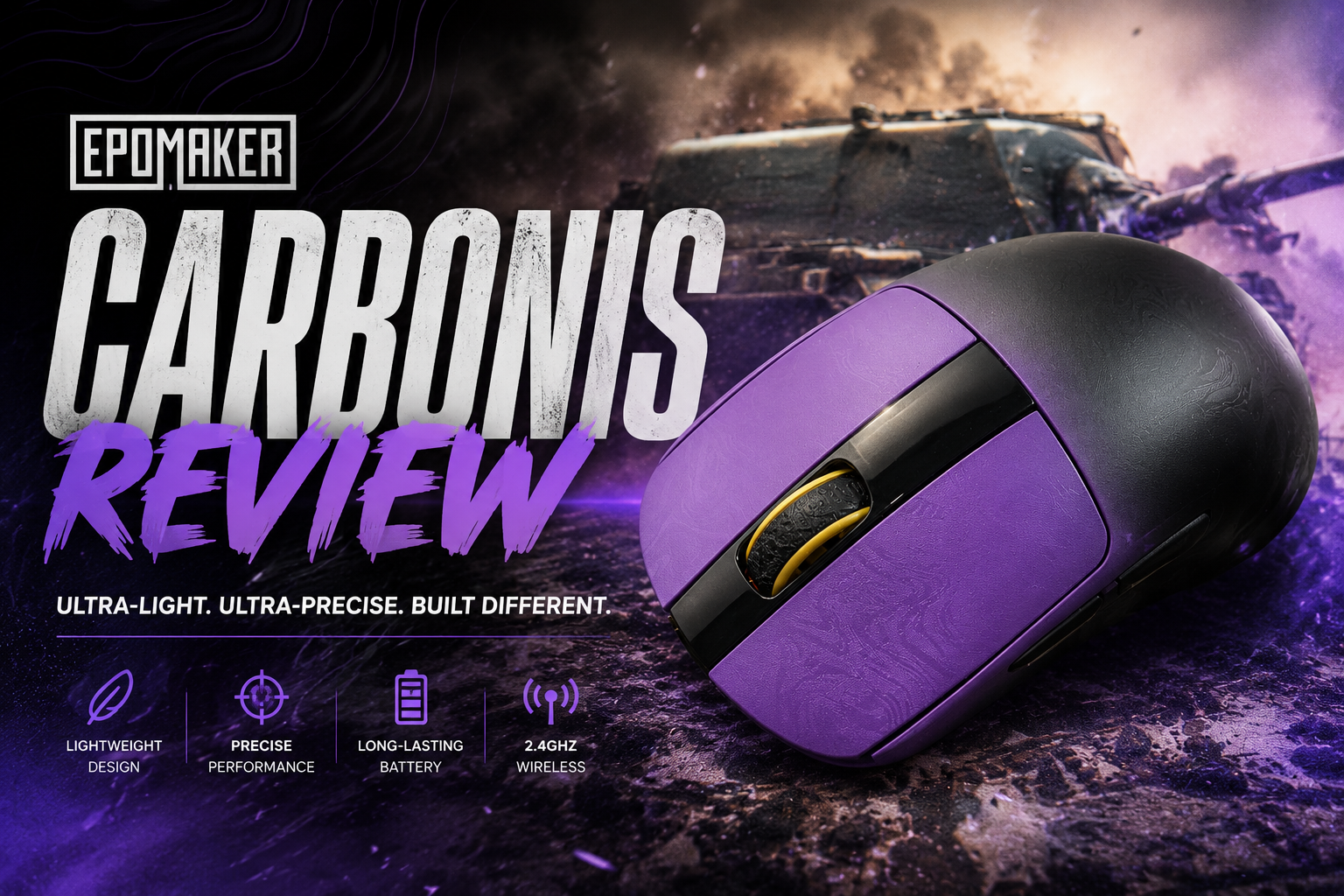
The Epomaker Carbonis is a tri-mode wireless gaming mouse built around three headline ideas: a composite carbon fiber shell instead of the usual injection-molded plastic, a flagship PAW3950 sensor paired with native 8000Hz polling, and a small onboard LCD that displays DPI, battery, connection mode, and polling rate without needing to open any software. It’s a right-hand-only ergonomic shape aimed squarely at competitive FPS and MOBA players, but Epomaker is also positioning it as a daily-driver mouse for office and general use thanks to its multi-OS support and driverless web configurator.
At $89.99, it sits in the upper-midrange of the gaming mouse market, competing with mice that typically rely on plastic shells and rely on brand recognition rather than material innovation. The carbon fiber construction is the mouse’s most distinctive selling point, so that’s where this review starts.
What’s in the Box
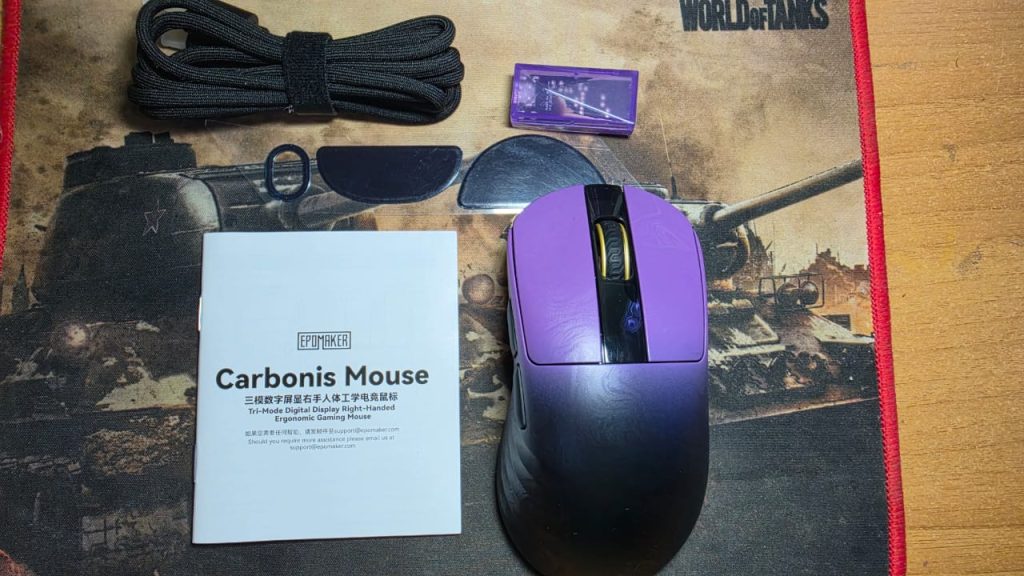
- Carbonis wireless gaming mouse
- 2.4GHz wireless USB dongle
- Detachable USB-A to USB-C cable
- Multilingual user manual
- Brand card
Nothing extravagant here, but it’s a complete kit — dongle, cable, and documentation are all included, and the detachable cable means you’re not stuck with a fixed cord if you damage it.
Build & Materials
The shell is made from a composite carbon fiber, which Epomaker says delivers a “rigid texture,” sweat and fingerprint resistance, and above-average structural durability compared to standard plastic shells. The left and right primary buttons use a PC plus carbon fiber blend, while the side buttons are made of ABS plastic — a sensible cost-saving choice since side buttons see less repetitive stress than the main clicks.
The surface finish is described as a “laser matte texture,” designed to stay grippy and resist fingerprints even during long, sweaty gaming sessions. The side grips are specifically called out as anti-slip, which matters more than it sounds like it should — carbon fiber and matte coatings can sometimes feel slick when hands get warm, so the textured grip zones are a deliberate counterbalance.
At roughly 50 grams, the Carbonis lands in genuinely lightweight territory for a mouse that also carries a screen, a 300mAh battery, and a full carbon shell. That’s a meaningful engineering achievement — most mice this light achieves it by shaving material everywhere and often feel hollow or creak under pressure. Whether the carbon fiber construction avoids that trade-off is something you’d want to verify with hands-on flex testing, but the material choice is at least aimed at solving exactly that problem.
Shape & Ergonomics
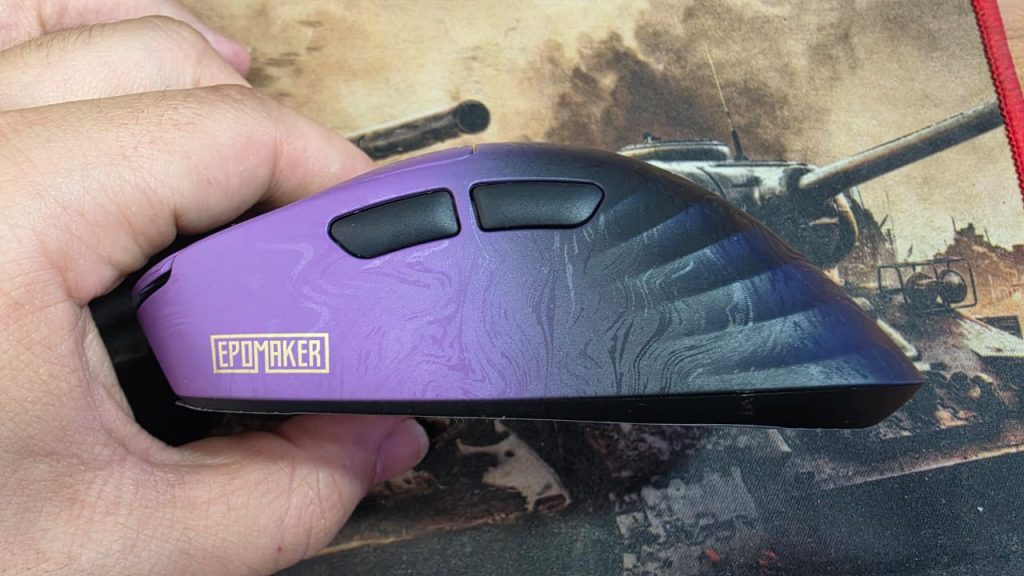
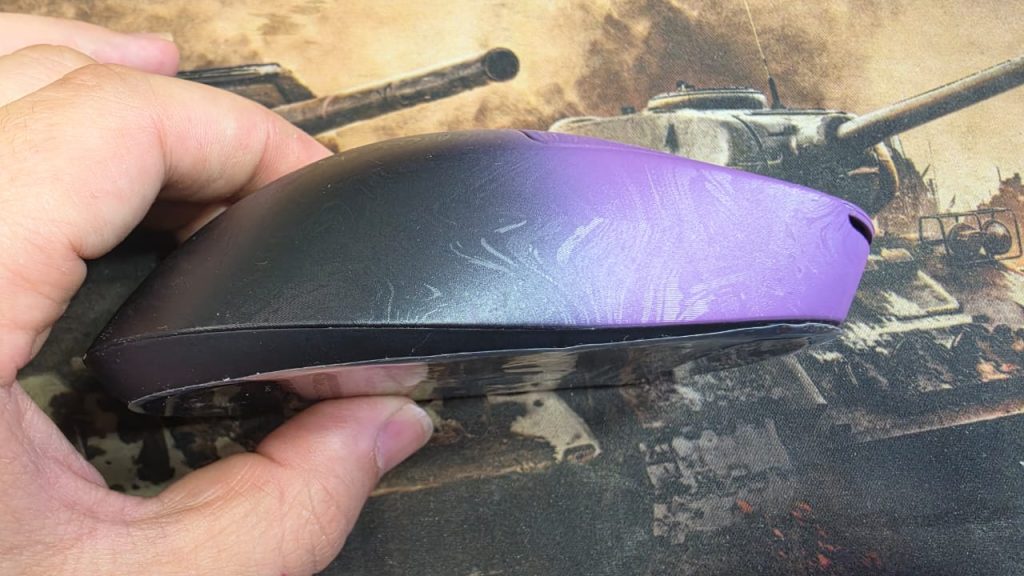
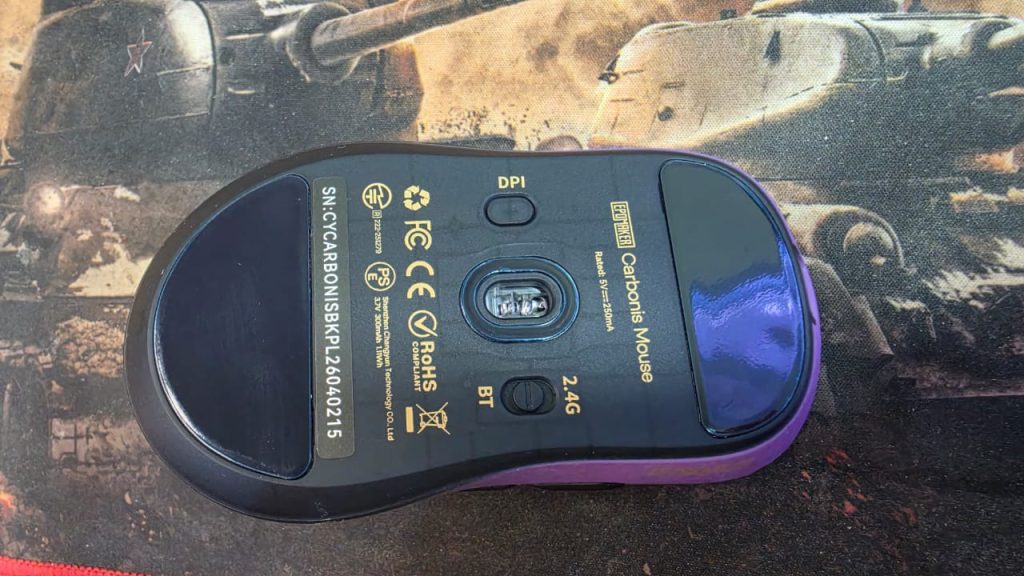
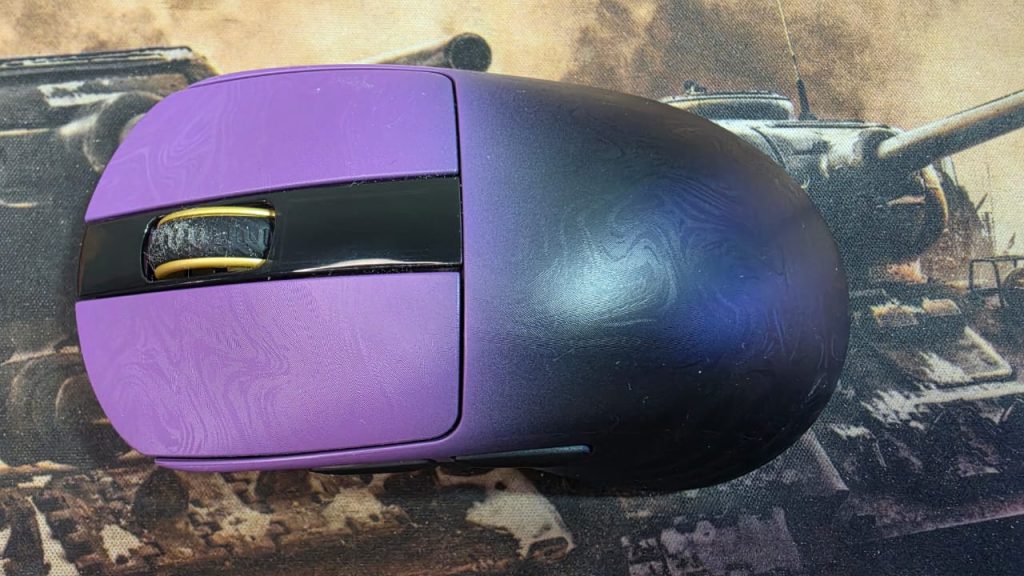
The Carbonis uses a dedicated right-handed ergonomic shape, explicitly designed for medium-to-large hands. There’s no ambidextrous or left-handed version, and no smaller-hand SKU, so this is a mouse that either fits your grip style or doesn’t — there isn’t a size run to fall back on.
Epomaker describes the palm contour as fatigue-reducing, aimed at steady, precise control for both gaming and everyday use. The dimensions are:
- Size: 12.3 x 6.61 x 4.27 cm (4.84 x 2.60 x 1.68 in)
- Weight: ~50g
Given those dimensions, this reads as a mid-to-full-size palm/claw-grip shape rather than a compact fingertip mouse. Players with small hands or a strict fingertip grip should be cautious here — the “medium-to-large hands” framing is Epomaker’s own guidance, and there’s no alternate shape to size down into.
The Smart LCD Screen
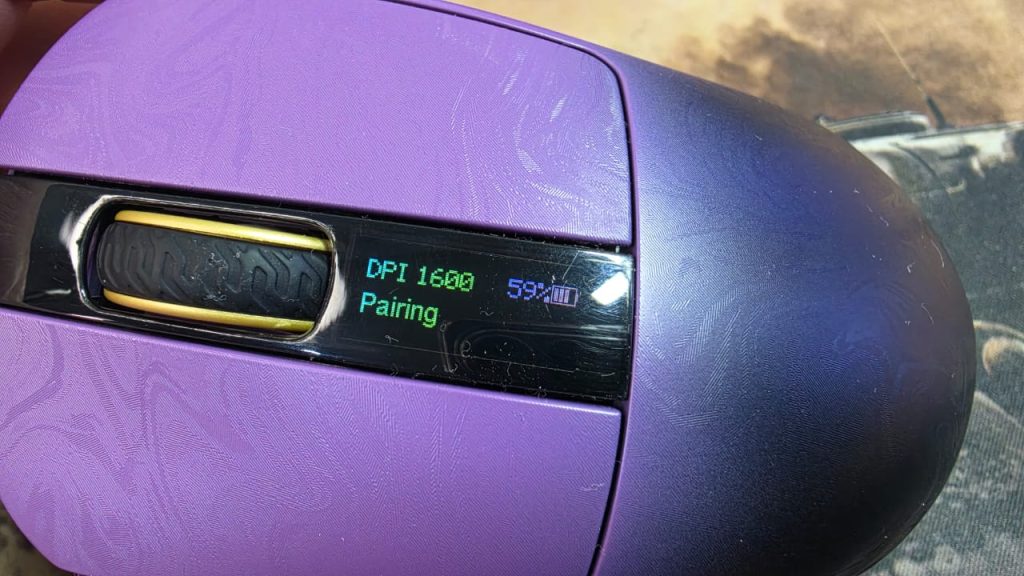
This is the feature that most separates the Carbonis from typical gaming mice. A small glass-covered LCD (21.69 x 8.52mm) sits on top of the shell and displays:
- Battery level
- Current DPI
- Connection mode
- Polling rate
You can cycle DPI stages (400 / 800 / 1600 / 3200 / 6400 / 30000) and polling rate (1000 / 2000 / 4000 / 8000Hz) directly from the mouse, without opening any software — a genuinely useful feature if you’re switching between a precision desktop setup and a lower-DPI competitive config on the fly, or troubleshooting a connection issue away from your PC.
Epomaker has clearly thought about the battery-life implications of an always-on screen: the display turns off during active mouse movement and only lights up after about three seconds of being idle. That’s a sensible compromise — you get the at-a-glance information when you actually stop to look for it, without a screen constantly drawing power (or looking cluttered) while you’re mid-game.
Sensor & Performance
The Carbonis is built around the PAW3950, a flagship-tier optical sensor, paired with a Nordic 54L microcontroller. The performance specs are aggressive for this price point:
| Spec | Value |
|---|---|
| Sensor | PAW3950 |
| Max CPI | 30,000 |
| IPS (tracking speed) | 750 |
| Max acceleration | 50G |
| Frame rate | 13,000–20,000 FPS |
| Polling rate (2.4G/wired) | Up to 8000Hz (default 1000Hz) |
| Polling rate (Bluetooth) | 125Hz |
| Latency (wired) | 0.3ms |
| Latency (2.4G wireless) | 0.375ms |
| Latency (Bluetooth) | 8ms |
The headline number is native 8000Hz polling — quadruple the old 2000Hz “high polling rate” standard and light-years past the 125Hz that was default a few years ago. In practice, 8000Hz polling mostly matters for competitive players chasing every millisecond of input responsiveness in fast-paced FPS or MOBA titles; casual users likely won’t perceive a difference between 1000Hz and 8000Hz, but it’s a good ceiling to have available. You can activate the higher polling rates via the web driver or a physical shortcut (holding Side Button 1 + the right button).
Sensor specs at this level (750 IPS, 50G acceleration, up to 30,000 CPI) are well past what any human can realistically use in DPI terms — 30,000 CPI is more of a marketing checkbox than a practical setting — but the acceleration and IPS ceiling matter more, since they determine whether the sensor can keep up with genuinely fast flick-shot movements without skipping.
Connectivity
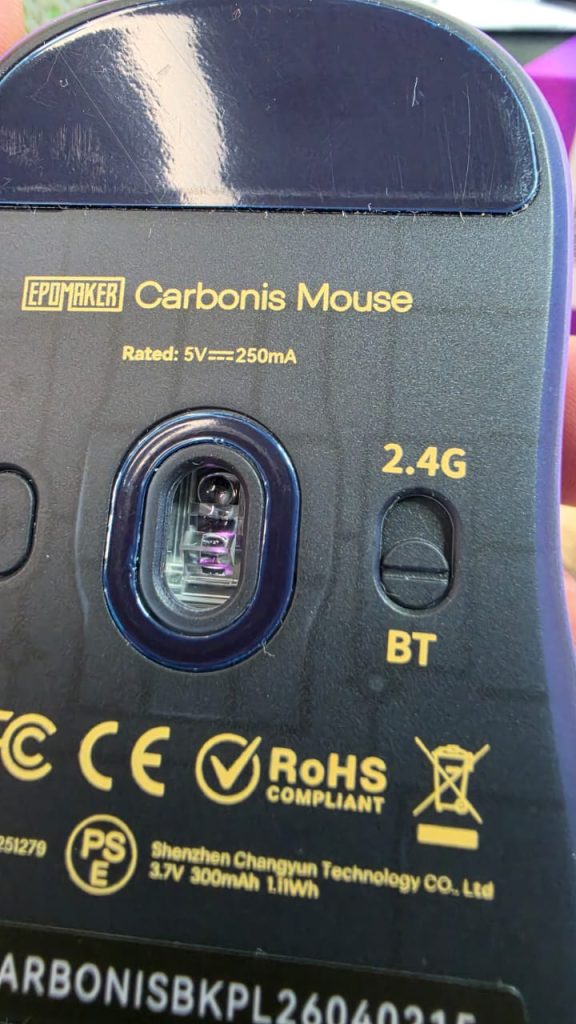
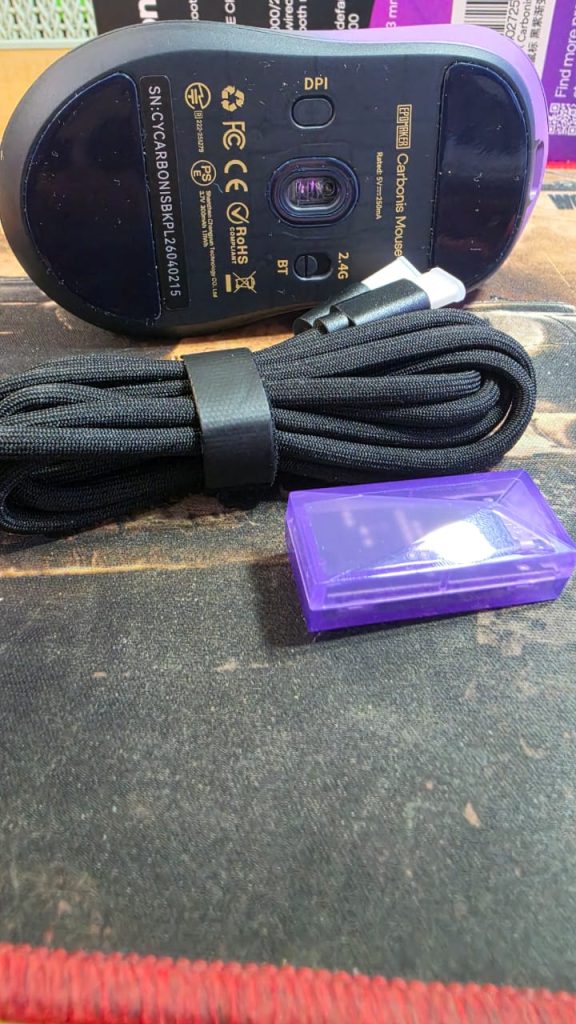
The Carbonis is a tri-mode mouse, supporting:
- 2.4GHz wireless via a bundled USB dongle
- Bluetooth 5.0
- Wired, via a detachable USB-A to USB-C cable
This flexibility is one of the mouse’s stronger practical selling points. Bluetooth is convenient for laptops or multi-device switching (at the cost of a much higher 8ms latency and 125Hz polling ceiling), the 2.4GHz dongle is the sweet spot for gaming with 0.375ms latency, and the wired connection is there for the lowest possible latency (0.3ms) or for when the internal battery runs dry.
The mouse houses a 300mAh rechargeable battery, charged over USB-C, with Epomaker citing a full charge in about one hour — a reasonably fast turnaround, though Epomaker’s product page doesn’t list a specific battery-life-per-charge figure, so runtime between charges is worth confirming through independent testing or user reports.
Cross-platform support covers Windows, macOS, and Linux, which is a nice touch for a gaming-focused mouse — this isn’t a device that only fully works on Windows.
Buttons & Software
The Carbonis has 5 programmable buttons (left-click is reserved and can’t be remapped, which is standard practice to prevent accidentally bricking basic mouse function). Configuration happens entirely through an online web driver — there’s no desktop application to install. Epomaker recommends using a Chromium-based browser for full compatibility, noting other browsers may have display issues with the software.
Through the web driver you can:
- Set custom macros and shortcuts
- Adjust polling rate and DPI
- Configure sleep mode
- Calibrate lift-off distance
- Enable motion synchronization
- Toggle high-speed mode
A browser-based driver is a double-edged sword: it avoids the bloat and update hassles of a bulky installed application, but it also means your configuration options are only as reliable as your browser and internet connection, and it won’t work in an offline or heavily locked-down environment.
Pricing & Warranty
You can Buy it at $89.99, the Carbonis is priced as a premium peripheral, backed by Epomaker’s standard 30-day no-reason return/exchange window and a 30-day replacement policy for factory defects. That’s a shorter defect-replacement window than some competitors offer, so it’s worth registering any issues with the mouse early rather than waiting.
Pros and Cons
Pros:
- Genuinely lightweight (~50g) despite a full carbon fiber shell and onboard screen
- Onboard LCD gives real-time DPI/battery/polling/connection info without software
- Flagship PAW3950 sensor with native 8000Hz polling and sub-millisecond wired latency
- True tri-mode connectivity (2.4GHz, Bluetooth, wired) with cross-platform support
- Fast ~1-hour charge time
- No desktop software required — configuration is entirely browser-based
Cons:
- Right-handed only, and explicitly sized for medium-to-large hands — no options for left-handed or small-handed users
- Web-based driver requires a Chromium browser for full functionality and won’t work offline
- Bluetooth mode has a large latency and polling-rate drop-off (8ms / 125Hz) compared to wired or 2.4GHz
- Battery runtime per charge isn’t clearly specified by Epomaker
- Side buttons use ABS rather than the carbon fiber composite used on the main buttons
Verdict
The Epomaker Carbonis is a mouse built around a genuinely distinctive material choice — carbon fiber isn’t common in this price bracket — combined with a sensor and polling-rate spec sheet that would look at home on mice costing considerably more. The onboard LCD is a smart, practical inclusion rather than a gimmick, since it solves a real annoyance (not knowing your DPI or battery level without opening software) with a power-conscious implementation that only lights up when you’re not actively using the mouse.
Its biggest limitation isn’t a spec — it’s the shape. This is a right-handed mouse for medium-to-large hands, full stop, with no alternate sizes or grip options. If that matches your hand, the Carbonis is a compelling, well-specced pick at $89.99. If it doesn’t, no amount of carbon fiber or polling rate will fix that fundamental fit problem.
Price: $89.99 | Colors: Black Gold, Black Purple | Weight: ~50g | Best for: Right-handed gamers with medium-to-large hands