- Design and Build Quality
- What's Inside the MELO P1 System?
- The Microphone
- Condenser vs Dynamic Microphone
- Audio Quality
- AI Noise Cancellation
- HollyAudio App
- Presets: Useful or Just a Gimmick?
- Wireless Monitoring
- Is the Monitoring Actually "Zero Latency"?
- Wireless Range
- Battery Life
- Charging and USB-C Connectivity
- Connectivity
- The Bluetooth Remote
- Real-World Setup Experience
- MELO P1 for YouTube Creators
- MELO P1 for Livestreaming
- MELO P1 for Singers
- MELO P1 for Live Performances
- MELO P1 vs Traditional Studio Setup
- What We Like
- What Could Be Better
- Who Should Buy the Hollyland MELO P1?
- Hollyland MELO P1: Specifications
- Price
- Final Verdict
Hollyland MELO P1 Review — tested for design, wireless workflow, microphone performance, monitoring, app features, battery life, and everyday creator use
Traditional vocal recording setups can become complicated very quickly. A good microphone is only the beginning. Depending on what you’re trying to do, you may also need an audio interface, mixer, headphones, cables, monitoring equipment, effects processing, and a reliable way to connect everything to your phone or computer.
The Hollyland MELO P1 takes a very different approach.
Instead of building a studio piece by piece, Hollyland has combined a wireless microphone, smart audio mixer, wireless monitoring earphones, remote control, and charging case into one portable ecosystem. The result is a system designed for singers, streamers, musicians, live performers, podcasters, and creators who want professional-style audio without carrying a traditional collection of audio equipment. But does putting everything into one wireless system actually work?
After looking closely at the MELO P1’s hardware, workflow, connectivity, audio features, and real-world use cases, here’s everything you need to know.
What Is the Hollyland MELO P1?
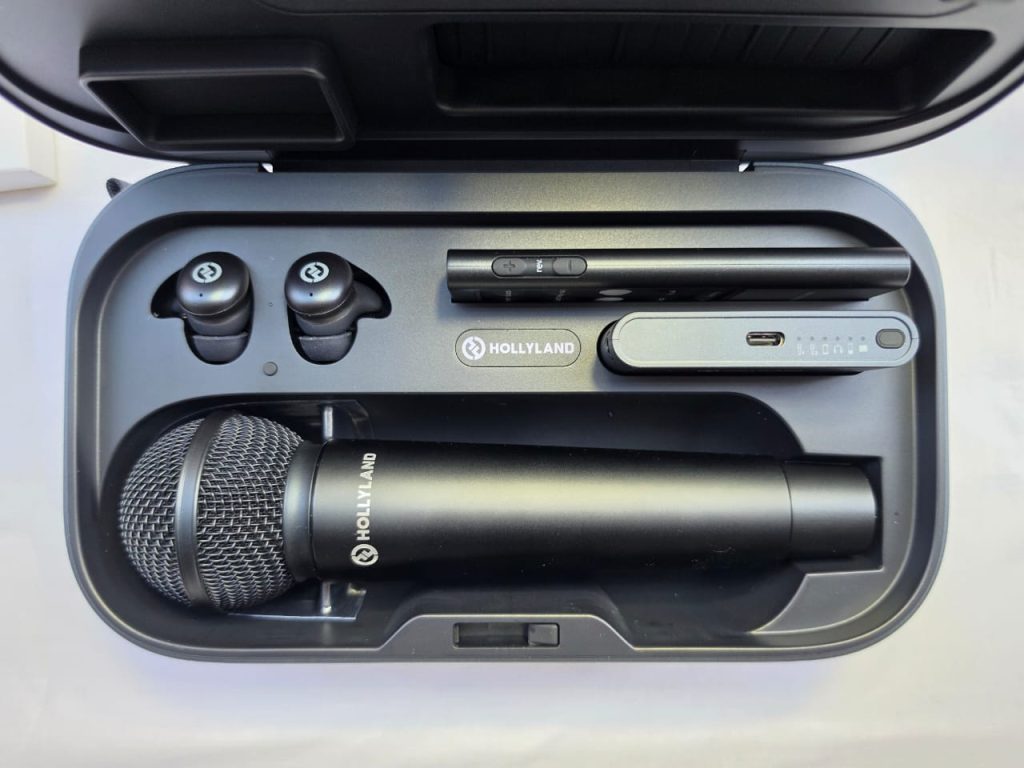
The Hollyland MELO P1 is an all-in-one wireless vocal studio designed around a central smart audio mixer.
Rather than connecting a microphone directly to a computer or camera, the MELO P1 creates a small wireless audio ecosystem.
The main components include:
- A large-diaphragm condenser microphone
- Smart wireless audio mixer
- Wireless monitoring earphones
- Bluetooth remote control
- Charging case
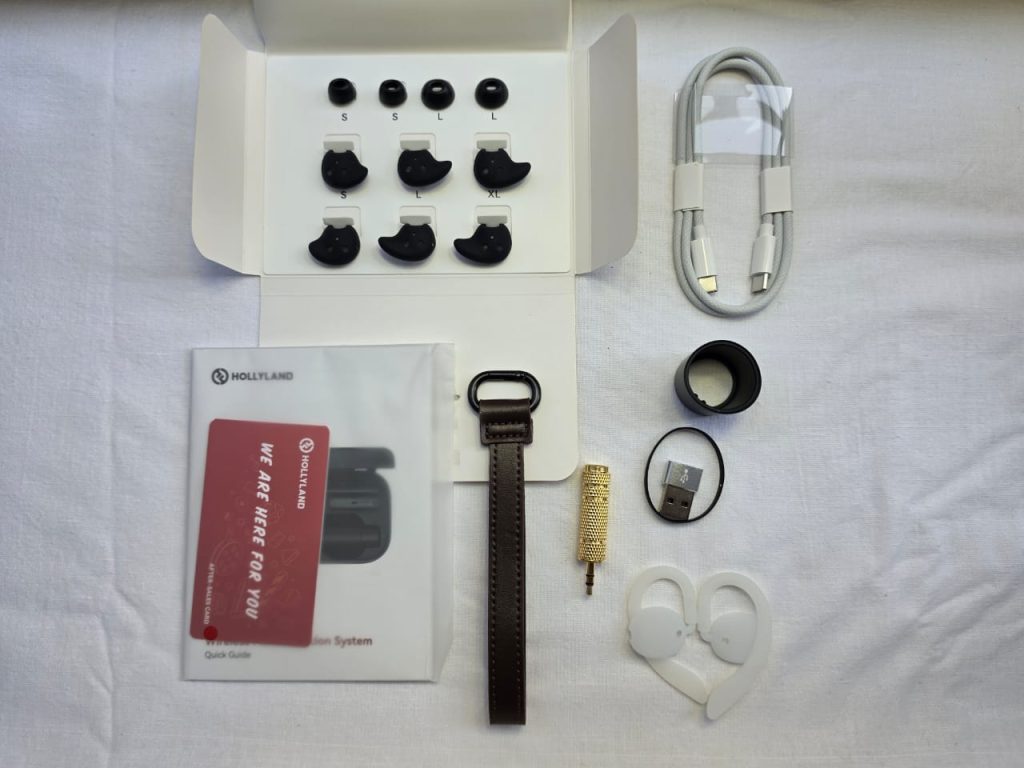
- Carrying accessories
- USB-C connectivity
- HollyAudio app support
The system uses 2.4GHz wireless connectivity between the microphone, mixer, and monitoring earphones, while Bluetooth is used for compatible devices such as backing-track playback and the remote control.
Hollyland specifies a wireless operating range of up to 60 meters in unobstructed conditions for the 2.4GHz audio connection. That makes the MELO P1 considerably different from a typical wireless microphone designed mainly for cameras. This is closer to a miniature portable vocal production system.
Design and Build Quality
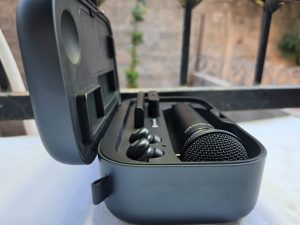
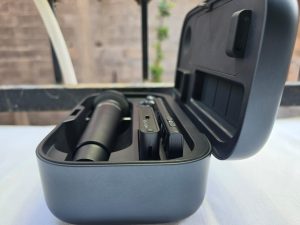
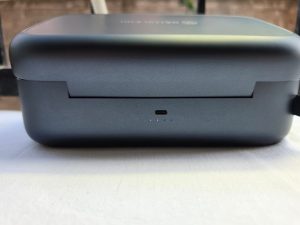
The first thing that stands out about the MELO P1 is how much functionality Hollyland has managed to package into a relatively compact system. The Smart Audio Mixer weighs only 55 grams, making it small enough to carry in a pocket or attach to your setup without adding significant weight, The microphone itself has a more traditional handheld form factor.
The included condenser microphone uses a 25mm large-diaphragm capsule and a cardioid pickup pattern. Hollyland also offers a dynamic microphone configuration for the system, giving users another option depending on their recording or performance requirements.
The condenser microphone is rated at approximately 255 grams, while the dynamic version is approximately 312 grams.
Why the size matters
The biggest advantage isn’t simply that each component is small.
It’s that you don’t need to carry a separate:
- Audio interface
- Mixer
- Wireless IEM system
- Monitoring receiver
- Effects processor
- Microphone transmitter
For mobile creators, singers, and performers, that can make a substantial difference. The charging case also turns the entire setup into something much easier to transport.
What’s Inside the MELO P1 System?
Depending on the package you purchase, Hollyland offers different configurations.
The complete system can include:
Smart Audio Mixer
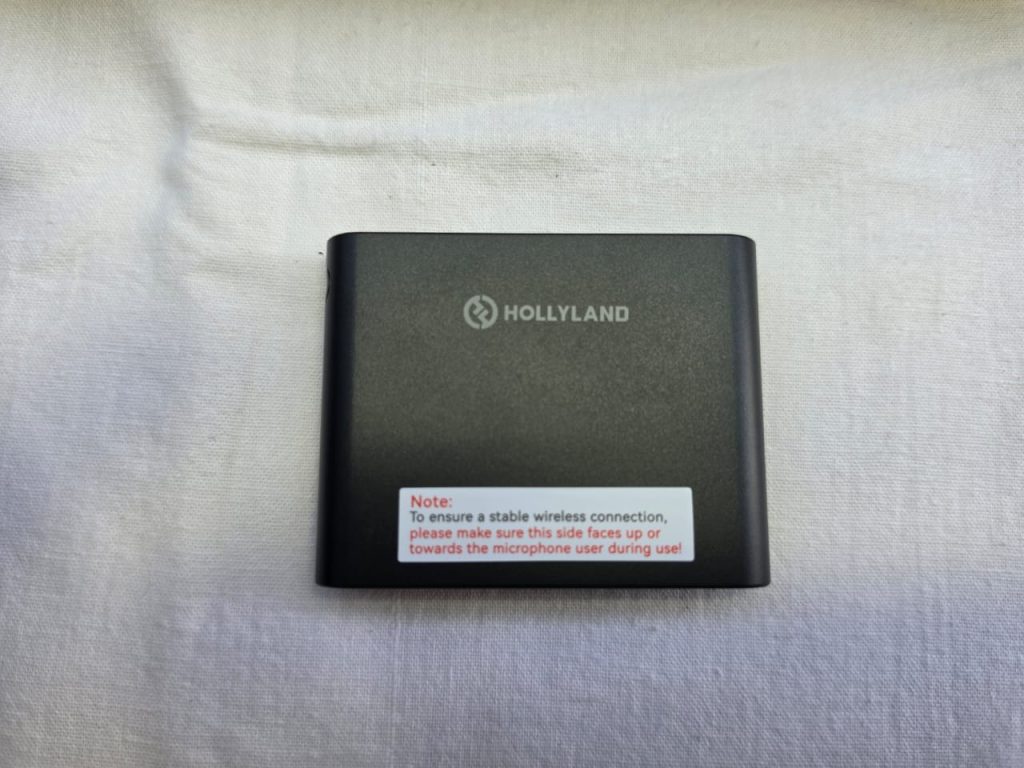
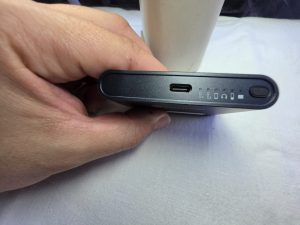
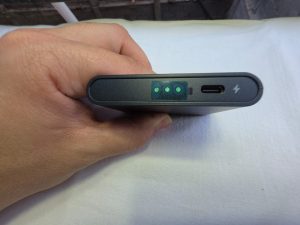
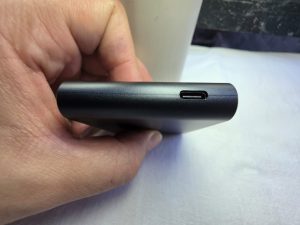
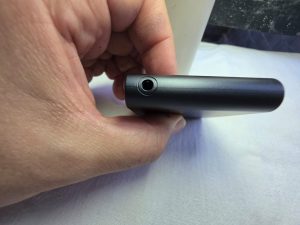
The 55g mixer is effectively the brain of the system. It handles wireless microphones, audio inputs, monitoring, processing, and connections to external devices.
It supports up to four simultaneous input sources:
- Wireless microphone 1
- Wireless microphone 2
- 3.5mm instrument input
- Bluetooth backing-track input
This opens up considerably more possibilities than a basic wireless microphone.
For example, a singer could potentially combine their vocal microphone with a backing track and instrument input while monitoring the result through the wireless earphones.
The Microphone
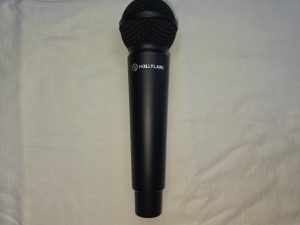
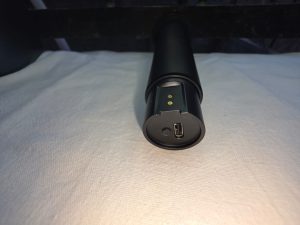
The condenser microphone is one of the most important parts of the MELO P1.
It uses a 25mm large-diaphragm condenser capsule with a cardioid polar pattern.
Hollyland rates the condenser microphone at:
- 20Hz–20kHz frequency response
- 132dB maximum SPL
- 116dB dynamic range
- 48kHz / 32-bit float and 24-bit recording
- Up to 12 hours of battery life
The large-diaphragm design is particularly interesting for vocals because it is intended to capture a detailed and full representation of the voice.
For singers, this should provide more flexibility than a typical compact wireless microphone designed primarily for speech.
Condenser vs Dynamic Microphone
One interesting aspect of the MELO P1 ecosystem is the availability of different microphone capsules.
The condenser option is aimed at detailed vocal capture and studio-style recording.
The dynamic configuration, meanwhile, has a narrower frequency response of 50Hz–17kHz and a higher maximum SPL rating of 145dB. That makes the dynamic option potentially more suitable for louder environments and performance-oriented applications.
The condenser microphone is rated at 132dB SPL. This distinction is important because there isn’t necessarily one microphone design that is perfect for every situation.
For controlled indoor recording, the condenser can be attractive.
For louder live environments, the dynamic option may make more sense.
Audio Quality
Audio quality is ultimately where the MELO P1 needs to prove itself.
The hardware specifications are certainly impressive on paper.
The system supports 48kHz recording with either 24-bit or 32-bit float digital audio, depending on the workflow.
The 32-bit float capability is particularly useful for recording because it provides substantially more flexibility when dealing with unexpected changes in input level.
However, bit depth alone doesn’t determine whether a microphone sounds good.
The microphone capsule, preamp, DSP processing, room acoustics, microphone technique, and final processing all contribute to the final result.
AI Noise Cancellation
The MELO P1 includes hardware-level AI noise cancellation rated at up to 25dB, this is particularly useful for creators who don’t always record in acoustically treated environments. The goal isn’t simply to make the microphone quieter.
The processing is designed to separate the voice from unwanted background noise in real time.
That could be particularly useful for:
- Livestreaming
- Outdoor content
- Home recording
- Gaming
- Voice calls
- Mobile creation
- Live performance
However, noise cancellation should still be treated as a tool rather than a replacement for good recording technique.
A quiet room and good microphone placement will generally provide a better starting point than trying to remove a large amount of noise afterward.
HollyAudio App
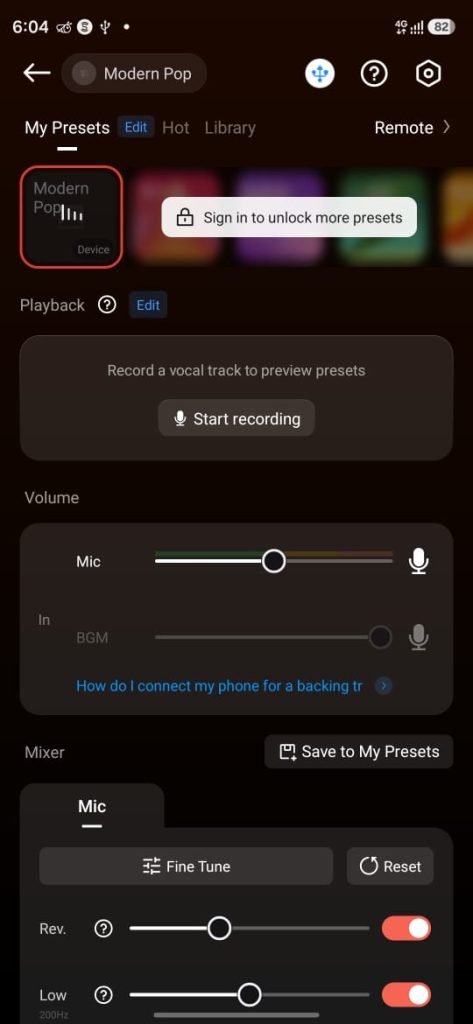
One of the most interesting parts of the MELO P1 isn’t actually the microphone.
It’s the software.
The HollyAudio app provides access to more than 100 tuned vocal presets designed for different vocal styles and scenarios.
Instead of manually building an audio chain from scratch, users can start with a preset and adjust it from there.
The system also provides more advanced audio processing options.
Hollyland lists effects including:
- EQ
- Full-band compression
- Multiband compression
- Sidechain compression
- De-Essing
- Reverb
- Delay
- Hall effects
- Harmonic saturation
- M/S EQ
That’s a surprisingly extensive processing toolbox for a portable wireless system.
Presets: Useful or Just a Gimmick?
This is something that deserves real testing.
Preset libraries can be extremely useful for beginners because they provide a starting point without requiring extensive audio-engineering knowledge.
A new creator doesn’t necessarily know how to configure:
- Compressor threshold
- Ratio
- Attack
- Release
- EQ bands
- De-esser
- Reverb
- Saturation
The preset system can reduce that learning curve.
At the same time, experienced users may prefer manual control.
Fortunately, the MELO P1 isn’t limited to presets. Hollyland provides both simple and more advanced fine-tuning options through the app.
Wireless Monitoring
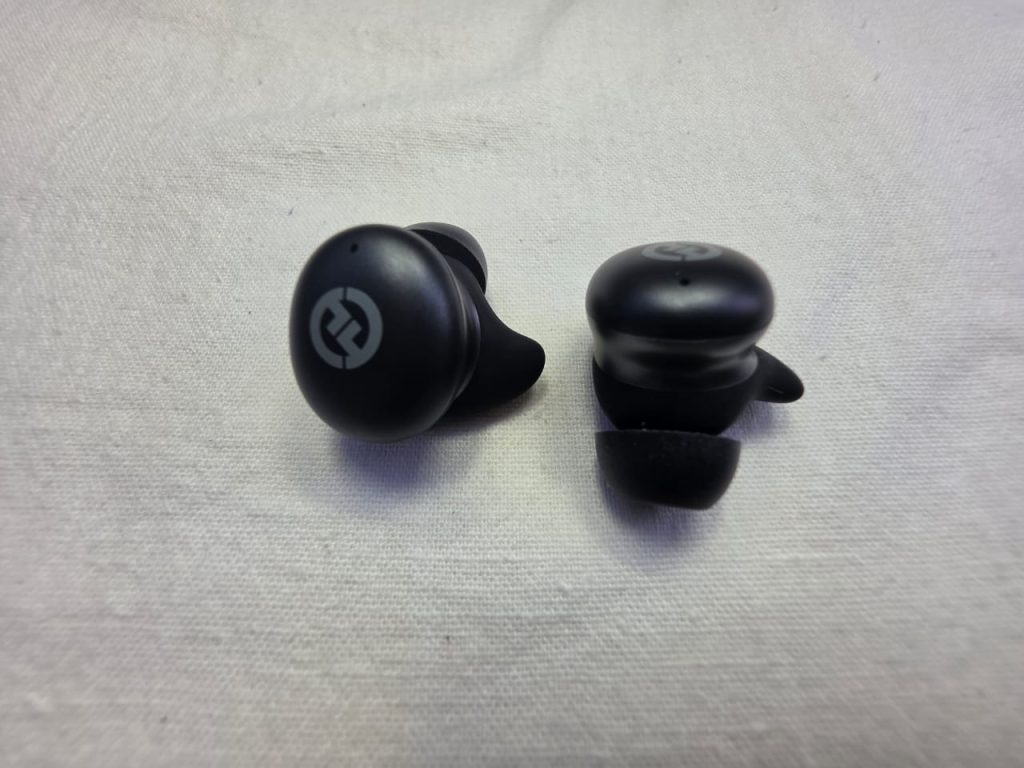
Monitoring is another major part of the MELO P1 experience. The system includes wireless monitoring earphones using 2.4GHz wireless connectivity.
Hollyland claims mixer-to-earphone latency as low as approximately 4ms, while the earphones have a rated battery life of up to 9 hours when using the 2.4GHz connection.
The earphones use 10mm dynamic drivers and have a frequency range of 20Hz–20kHz.
They also support Bluetooth, allowing them to be used as regular wireless earphones outside the MELO P1 system.
This dual-purpose design is convenient because the earphones don’t become useless once the recording session is finished.
Is the Monitoring Actually “Zero Latency”?
For live performance and vocal monitoring, latency matters enormously.
Even a noticeable delay can make singing uncomfortable because you hear your own voice slightly after you produce it.
Hollyland positions the MELO P1’s 2.4GHz monitoring system as ultra-low latency, with the company citing approximately 4ms mixer-to-earphone latency.
In a proper review, this should be tested by monitoring vocals while:
- Speaking normally
- Singing
- Playing an instrument
- Monitoring processed vocals
- Monitoring with backing tracks
The important question isn’t just the number on the specification sheet.
It’s whether the delay is perceptible during actual performance.
Wireless Range
Hollyland rates the 2.4GHz audio connection for up to 60 meters line-of-sight in general environments.
That’s approximately 196 feet.
However, wireless range claims should always be interpreted carefully.
Walls, people, metal structures, Wi-Fi congestion, other wireless devices, and the layout of a building can all reduce practical range.
Hollyland itself notes that complex environments can significantly reduce the usable distance.
For normal home recording, streaming, and small-stage use, the 60m specification provides plenty of headroom.
For large venues, I’d recommend testing the actual environment before relying on the maximum advertised distance.
Battery Life
Battery performance is one of the MELO P1’s strongest practical features.
Hollyland rates the individual components at approximately:
| Component | Battery Life |
|---|---|
| Smart Audio Mixer | Up to 8 hours |
| Microphone | Up to 12 hours |
| Wireless Earphones | Up to 9 hours |
| Charging Case | Up to 40 hours total system runtime |
The microphone can reach up to approximately 13 hours with AI noise cancellation disabled, according to Hollyland & The charging case contains a 5,000mAh battery and can recharge the system multiple times.
For creators who travel frequently, this is a major advantage.
Instead of carrying multiple chargers and battery packs, you can keep the entire system inside one case.
Charging and USB-C Connectivity
The MELO P1 uses USB-C and supports fast charging.
The smart mixer supports USB-C charging and digital output, while the charging case supports USB-C power input and output.
Hollyland specifies up to 60W combined fast-charging output through its PD3.0 implementation.
That means the case isn’t merely a storage box.
It functions as a power hub for the system.
Connectivity
Connectivity is one of the MELO P1’s biggest strengths.
The mixer supports:
- 2.4GHz wireless microphones
- 2.4GHz wireless monitoring
- Bluetooth audio
- Bluetooth remote
- 3.5mm audio input/output
- USB-C digital output
This makes the system flexible enough for several different workflows.
Smartphone recording
You can build a compact mobile recording setup without carrying a traditional audio interface.
Computer recording
The USB-C connection provides a digital connection to compatible computers.
Live streaming
The mixer can process the vocal signal before sending it to the streaming setup.
Live performance
The wireless microphone and monitoring earphones allow significantly more movement than a traditional wired setup.
The Bluetooth Remote
The included Bluetooth remote is another small but useful component.
It can provide controls for functions such as:
- Microphone mute
- Sound effects
- Reverb volume
- Ducking
- Chat mode
- Singing mode
- Earphone volume
- Preset/effect control
This is particularly useful for performers who don’t want to walk back to a mixer or computer every time they need to change something.
For livestreamers and stage performers, having controls physically accessible while away from the main setup can be extremely convenient.
Real-World Setup Experience
One of the MELO P1’s biggest selling points is setup simplicity.
A traditional vocal setup might look something like:
Microphone → XLR cable → audio interface → computer → software → headphones
A more complicated live setup could involve:
Microphone → wireless transmitter → receiver → mixer → monitoring system → headphones/IEMs → PA
The MELO P1 attempts to compress much of that workflow into one ecosystem.
The basic concept becomes:
Microphone → MELO P1 Mixer → Phone/Computer/PA
while the monitoring earphones communicate wirelessly with the mixer.
That’s the real appeal of the product.
It’s not necessarily about beating every individual piece of professional audio equipment.
It’s about reducing the number of pieces you need.
MELO P1 for YouTube Creators
For YouTubers, the MELO P1 is particularly interesting for vocal-heavy content.
It can make sense for:
- Product reviews
- Talking-head videos
- Livestreams
- Interviews
- Music content
- Tutorials
- Podcasts
- Mobile videos
However, if you’re filming traditional talking-head videos with a camera sitting several feet away, a dedicated camera microphone or lavalier system may still be more convenient depending on your shooting style.
The MELO P1 becomes more interesting when voice quality and real-time processing are more important than simply capturing dialogue.
MELO P1 for Livestreaming
This is one of the areas where the system makes the most sense.
Livestreamers often need to manage several things simultaneously:
- Voice
- Background music
- Monitoring
- Effects
- Microphone mute
- Audio levels
- Streaming software
The MELO P1 puts many of these functions into a dedicated audio ecosystem.
The ability to combine two wireless microphones, an instrument input, and Bluetooth backing audio gives the system considerably more flexibility than a basic wireless microphone.
For creators who frequently switch between talking and singing, the different modes and presets could also make the workflow much faster.
MELO P1 for Singers
This is arguably the most obvious target audience.
The system was designed specifically around vocals.
The large-diaphragm condenser microphone, vocal presets, compression, EQ, reverb, wireless monitoring, and low-latency monitoring all target the needs of singers.
The biggest advantage is portability.
You don’t necessarily need to build a permanent home studio to get access to a relatively sophisticated vocal processing workflow.
You can potentially take the setup with you.
MELO P1 for Live Performances
The 60m wireless range, wireless monitoring, remote control, and long battery life make the MELO P1 suitable for small live performances and mobile performance setups.
The important distinction is that “wireless” doesn’t automatically mean “ideal for every professional stage.”
Large professional productions often use dedicated wireless systems, professional RF coordination, stage monitoring, and specialized audio consoles.
The MELO P1 is better understood as a highly integrated portable system rather than a replacement for an entire professional concert audio infrastructure.
MELO P1 vs Traditional Studio Setup
The comparison isn’t really about specifications. It’s about workflow.
Traditional setup
Advantages
- Extremely customizable
- Huge microphone selection
- Professional interfaces available
- Extensive plugin ecosystem
- Easier to expand
Disadvantages
- More cables
- More equipment
- More setup time
- Less portable
- More technical knowledge required
MELO P1
Advantages
- Extremely portable
- Wireless workflow
- Integrated monitoring
- Built-in DSP
- Vocal presets
- AI noise cancellation
- Long battery life
- Simple setup
Disadvantages
- Less modular than traditional equipment
- Dependent on the Hollyland ecosystem
- Wireless isn’t always preferable to wired studio connections
- The included microphone determines much of the sound character
- Advanced studio users may want more hardware flexibility
The MELO P1’s biggest advantage isn’t necessarily that it replaces a $2,000 studio. It’s that it can eliminate the need to assemble one for many everyday creator workflows.
What We Like
Truly all-in-one
The MELO P1 combines multiple pieces of audio equipment into one ecosystem.
Wireless workflow
The lack of cables between the microphone, mixer, and monitoring system makes setup considerably cleaner.
Large-diaphragm condenser
The 25mm condenser capsule is a strong fit for vocal recording.
Extensive DSP
EQ, compression, de-essing, reverb, delay, saturation, and other processing options give users plenty of control.
100+ presets
The presets should make professional-style processing much more approachable for beginners.
Wireless monitoring
Having dedicated low-latency monitoring included in the system is a significant advantage.
Battery life
The combination of individual battery life and a 5,000mAh charging case makes the system practical for extended sessions.
Portable
The entire concept is designed around taking your audio setup with you.
What Could Be Better
Not for everyone
If you already own a high-end microphone, audio interface, studio headphones, and mixer, the MELO P1 may not replace your existing equipment.
Wireless complexity
Wireless systems can introduce additional considerations that simply don’t exist with a wired XLR setup.
App dependence
Some of the MELO P1’s advanced functionality depends on the HollyAudio ecosystem.
Maximum range isn’t guaranteed
The 60m specification is measured under specified conditions. Real-world environments can significantly reduce wireless range.
Traditional studio users may prefer modular equipment
Professional recording engineers often want to choose every individual part of their signal chain.
The MELO P1 deliberately sacrifices some of that modularity in exchange for convenience.
Who Should Buy the Hollyland MELO P1?
The MELO P1 makes the most sense for people who value portability, simplicity, wireless connectivity, and integrated vocal processing.
I’d particularly look at it if you’re:
- A singer
- A livestreamer
- A YouTube creator
- A mobile creator
- A musician
- A performer
- A podcaster
- Someone building a compact home studio
- Someone who doesn’t want to learn complicated audio routing
It is less compelling if your priority is building a completely modular professional recording studio where every component can be swapped independently.
Hollyland MELO P1: Specifications
| Feature | Hollyland MELO P1 |
|---|---|
| Condenser Capsule | 25mm large-diaphragm |
| Polar Pattern | Cardioid |
| Condenser Frequency Response | 20Hz–20kHz |
| Dynamic Frequency Response | 50Hz–17kHz |
| Condenser Max SPL | 132dB |
| Dynamic Max SPL | 145dB |
| Dynamic Range | 116dB |
| Noise Cancellation | Up to 25dB |
| Recording | 48kHz / 24-bit & 32-bit float |
| 2.4GHz Range | Up to 60m LOS |
| Bluetooth Range | Up to 10m |
| Remote Range | Up to 70m LOS |
| Mixer Weight | 55g |
| Mixer Battery | Up to 8 hours |
| Mic Battery | Up to 12 hours |
| Earphone Battery | Up to 9 hours |
| Charging Case | 5,000mAh |
| Total System Runtime | Up to 40 hours |
| Wireless Monitoring | 2.4GHz |
| Mixer Inputs | Up to 4 sources |
| App | HollyAudio |
| Vocal Presets | 100+ |
| Earphone Driver | 10mm |
| Earphone Rating | IPX4 |
Price
Hollyland offers three configurations:
Final Verdict
The Hollyland MELO P1 is an interesting attempt to rethink what a portable vocal studio should look like.
Instead of asking users to assemble a microphone, interface, mixer, monitoring system, wireless equipment, and processing software separately, Hollyland has combined these functions into one ecosystem.
Its strongest argument isn’t simply its 32-bit float recording, 60-meter wireless range, 100+ presets, or 40-hour total battery claim.
It’s the workflow.
You can take the system with you, connect the microphone wirelessly, monitor your performance without a cable, apply vocal processing through the HollyAudio ecosystem, and connect the mixer to your recording or streaming setup.
For singers and creators who prioritize convenience without wanting to give up control over their sound, that’s a compelling concept.
However, the MELO P1 shouldn’t be viewed as a universal replacement for professional studio equipment. A traditional XLR microphone and audio interface still offer major advantages in terms of flexibility, upgradeability, and component selection.
The MELO P1 is doing something different. It’s trying to make a surprisingly sophisticated vocal setup portable, wireless, and much easier to use.
And that’s exactly where the system is most interesting.
Our Rating
Design: ⭐⭐⭐⭐⭐
Features: ⭐⭐⭐⭐⭐
Portability: ⭐⭐⭐⭐⭐
Connectivity: ⭐⭐⭐⭐⭐
Battery Life: ⭐⭐⭐⭐⭐
Software/DSP: ⭐⭐⭐⭐⭐
Versatility: ⭐⭐⭐⭐½
Value: ⭐⭐⭐⭐½
Overall: 4.9/5
If your priority is a compact wireless vocal setup for singing, streaming, recording, and mobile creation, the MELO P1 deserves serious consideration.
For a traditional studio enthusiast who already owns dedicated audio equipment, however, its biggest advantage is convenience rather than absolute flexibility or maximum studio expandability.