A couple of my favorite iOS 27 features have finally arrived on AirPods — but there’s a catch: they’re only available through a beta firmware release, so not everyone can use them yet.
Apple Releases Fourth Beta Firmware for AirPods
Apple officially released the fourth beta firmware update for its AirPods lineup today. The firmware, build number 9A5336b, is rolling out to the AirPods Pro 2, AirPods Pro 3, AirPods 4, and AirPods Max 2.
This new beta firmware is available to developers and early adopters for testing and bug-hunting purposes. That said, it also packs a couple of genuinely cool features worth knowing about.
New AirPods Beta Firmware Brings Custom EQ, Redesigned Interface, and More
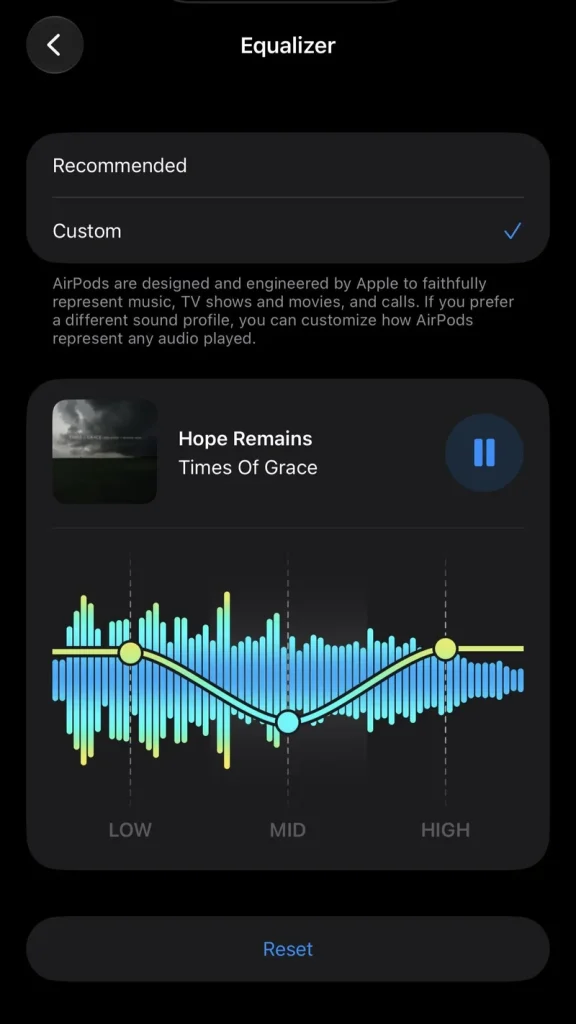
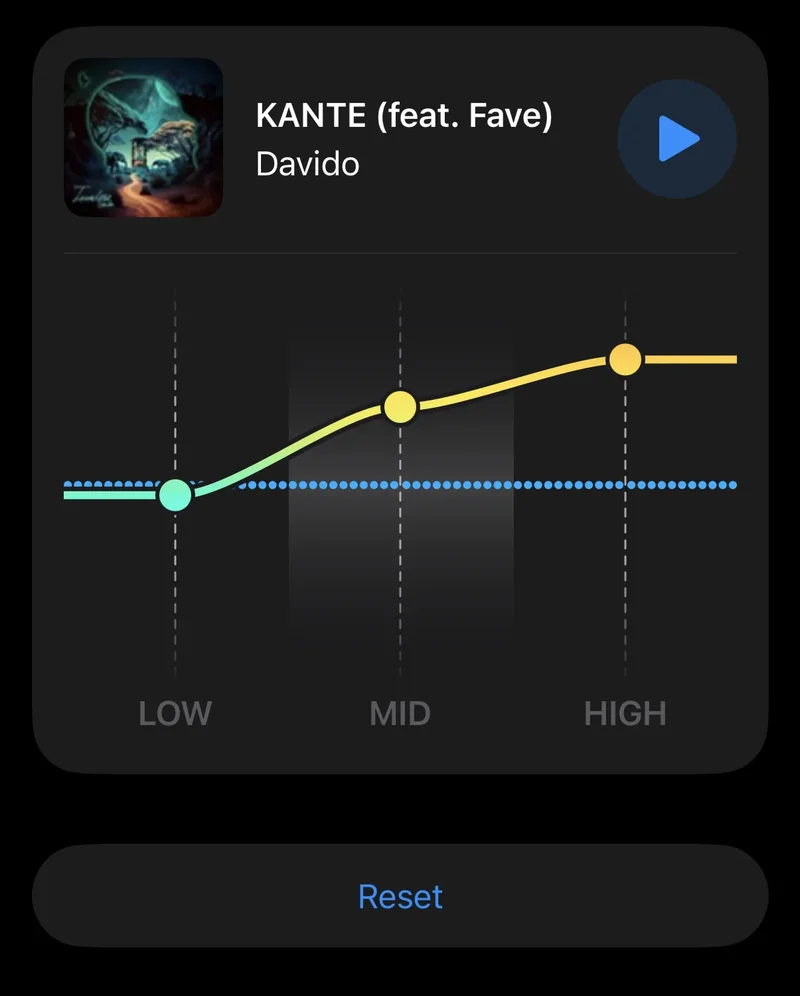
In iOS 27, iPadOS 27, and macOS Golden Gate, AirPods are getting a redesigned interface. But in my opinion, the standout feature is custom EQ support.
This new feature lets you adjust a native 3-band equalizer (Low, Mid, High) directly from your AirPods settings.
The firmware update also adds Siri AI support, making all the models mentioned above compatible with Apple’s new and improved AI agent.
How to get the latest beta firmware and test these new features
You can easily enable beta firmware updates on your AirPods to test these new features. Here’s how:
- Update your host device: Make sure your iPhone, iPad, or Mac is running the latest compatible software (iOS 26, iPadOS 26, or macOS 26 or later).
- Connect your AirPods: Put them in your ears or connect them via Bluetooth to your Apple device.
- Enable the beta toggle:
- On iOS/iPadOS: Go to Settings > Bluetooth, tap the Info (i) button next to your AirPods, scroll to About or AirPods Beta Updates, and turn on the toggle.
- On Mac: Go to System Settings > Bluetooth, click the Info (i) next to your AirPods, and turn on AirPods Beta Updates.
Once enabled, your AirPods should install the beta firmware — though it may take some time, since this isn’t a typical over-the-air update pushed directly by Apple.
Should You Install Beta Firmware on Your AirPods and Apple Devices?
Installing beta firmware is always risky, no matter the device or operating system — but with AirPods, it can be even more problematic.
Apple doesn’t offer a user-friendly way to roll back to stable firmware if something goes wrong, and there’s plenty that can go wrong.
From completely bricking your Pods to unstable audio, spotty connections, and Find My glitches, these are just some of the issues you might run into with beta firmware. Personally, I’d still do it — I like tinkering with new features — but proceed at your own risk. If you’d rather play it safe, wait for the next stable firmware release.