

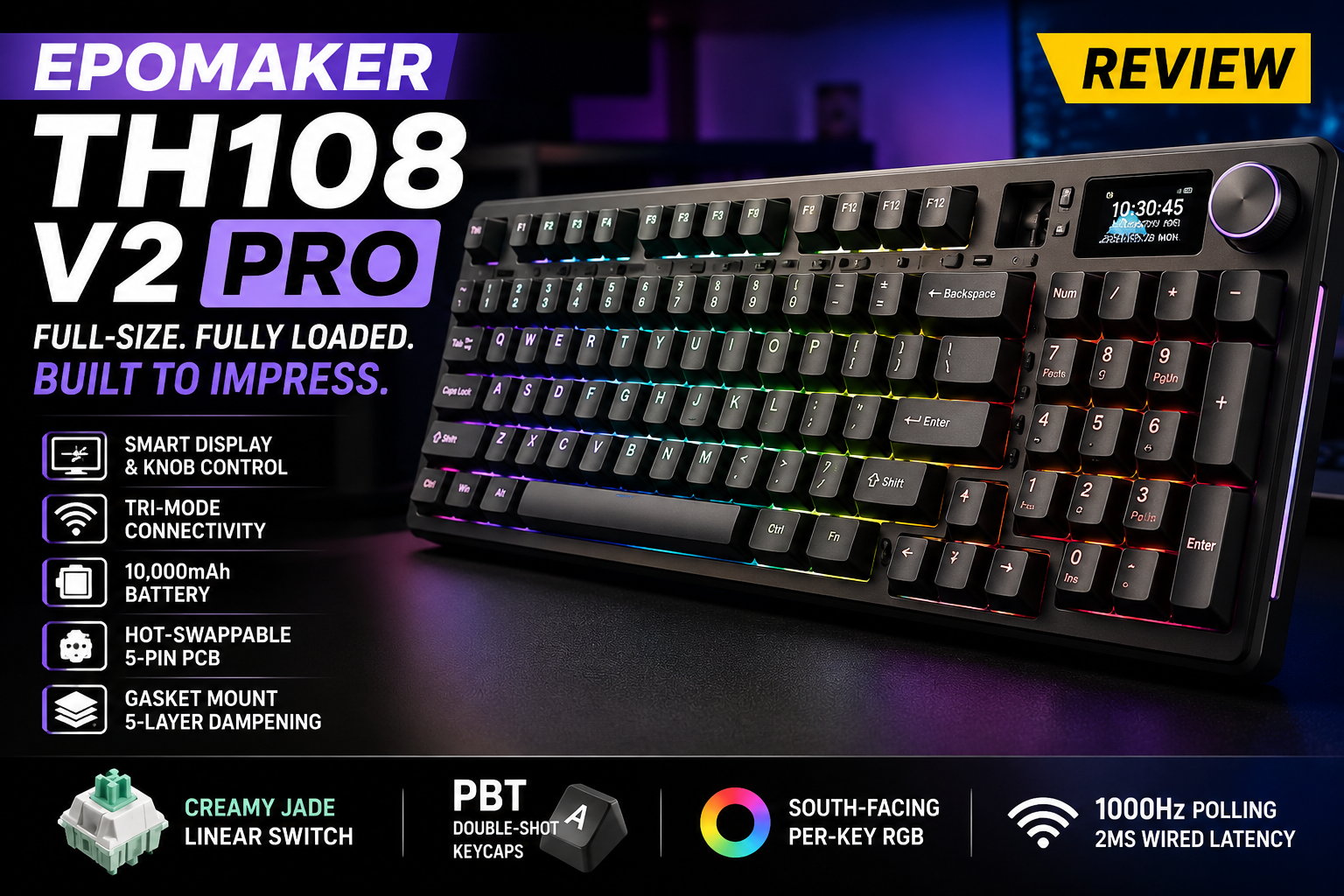
The EPOMAKER TH108 V2 PRO sits at the top of EPOMAKER’s TH series as a full-size, 100%-layout mechanical keyboard built for people who don’t want to give up their numpad for a “premium” typing experience. It combines tri-mode wireless connectivity, a gasket-mounted case, a built-in screen and rotary knob, and a genuinely massive battery — all wrapped in a design aimed at gamers, WFH typists, and creators who bounce between devices. At $98.99 (with a $1 premium for the silent switch option), it’s positioned as a mid-range board that’s trying to punch above its price with “enthusiast” features like hot-swap sockets and a 5-layer sound-dampening stack.
Here’s a full breakdown of what it gets right, what it doesn’t, and who it’s actually for.
Design and Build Quality
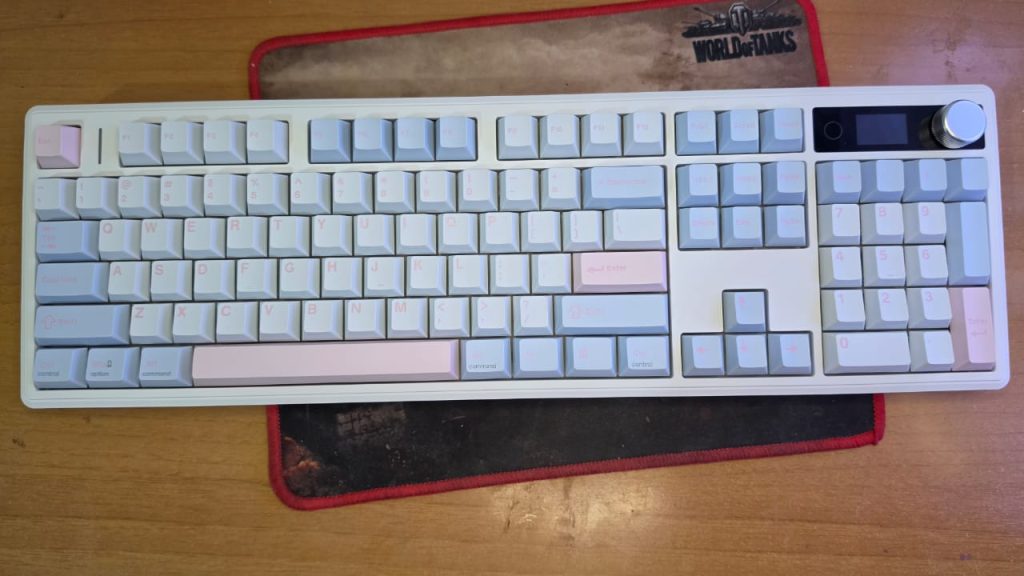
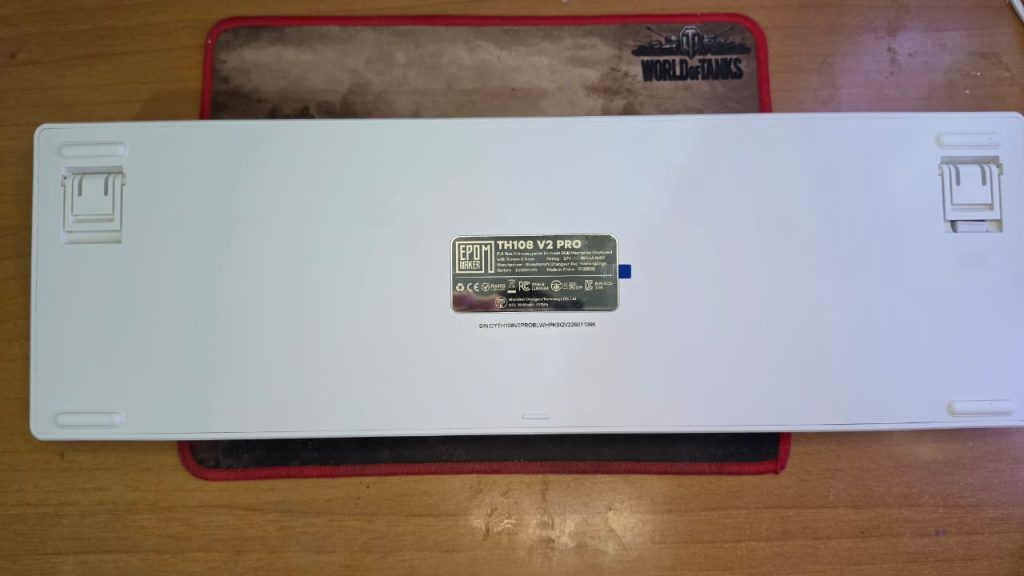
The TH108 V2 PRO uses a thick ABS plastic case over a PC plastic plate, both machined with flex-cuts intended to soften keystroke feedback. At 1.5kg and measuring roughly 447 x 141 x 44mm, it’s a genuinely full-size 104-key board — no compromises on the numpad or nav cluster. The added heft is deliberate: EPOMAKER markets the extra weight as a stability feature, keeping the board planted on the desk during fast-paced gaming sessions rather than sliding around.
A two-stage kickstand gives you three typing angles (6°, 8°, and 10.5°), which is a nice touch for people who like to fine-tune wrist posture throughout the day. That said, one early buyer pointed out a real ergonomic gap: there’s no bundled palm rest, and the board sits tall enough (up to 42mm at the top row including keycaps) that extended typing sessions became uncomfortable without adding a separate wrist rest — a notable omission at this price point.
Three colorways are available: Black, Pink, and a “Blue White Pink” variant, so there’s some room to match a setup’s aesthetic beyond the usual all-black gaming look.
The Interactive Screen and Knob — The Signature Feature
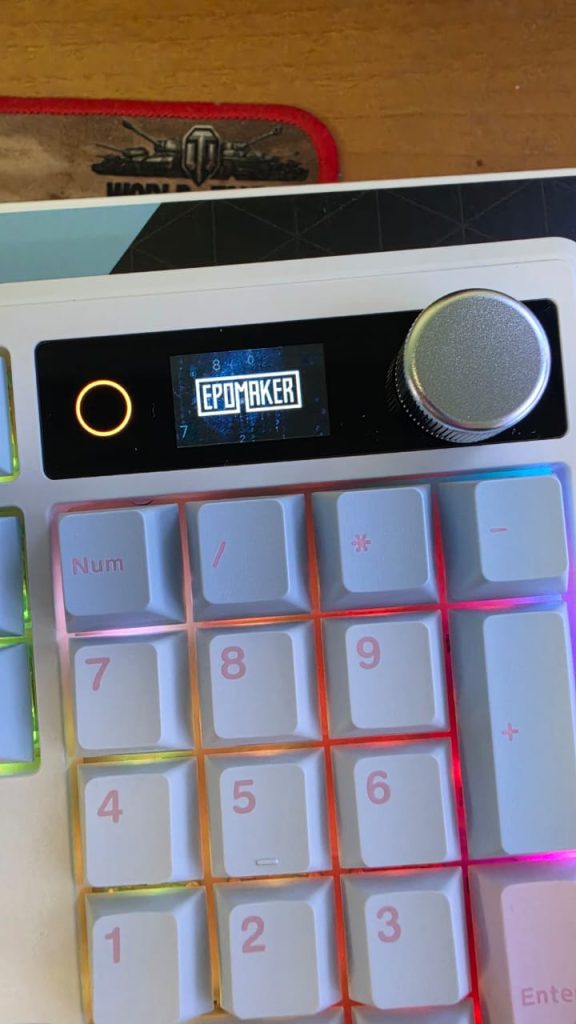
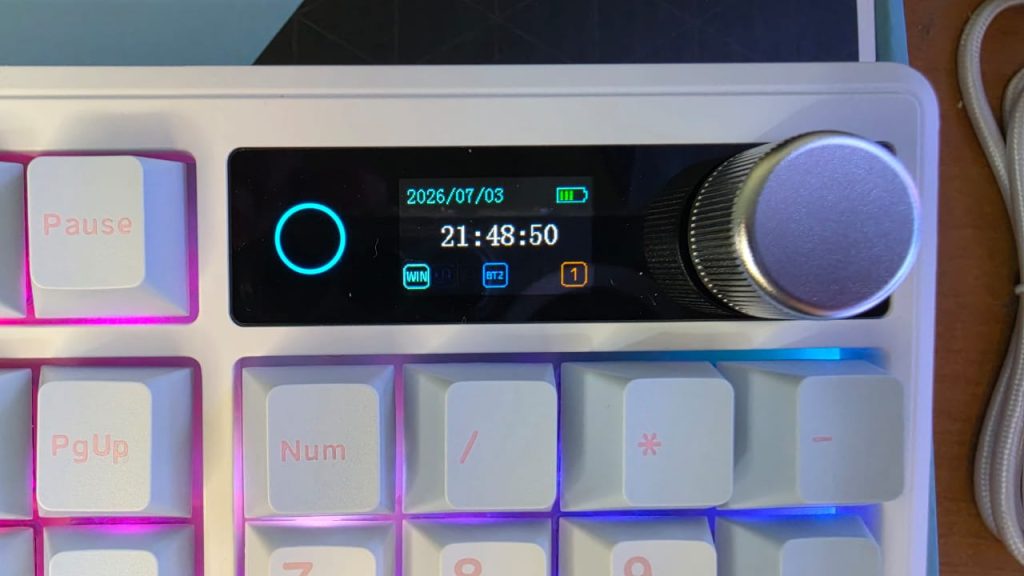
The standout differentiator here is the small glass display paired with a multi-function rotary knob, both sitting in the top-right corner. By default, the knob controls volume, but a quick FN+Knob press switches it into screen-navigation mode, and it can also be remapped for playlist scrolling or custom macros through EPOMAKER’s software.
The screen itself isn’t just a battery/connection indicator — it supports GIF uploads, drawings, and even time sync, letting you turn the keyboard into a small personalization canvas. It’s a genuinely fun feature that few competitors in this price range offer, and it fits EPOMAKER’s pitch of the TH108 V2 PRO as a “command center” rather than just an input device.
The catch, based on early owner feedback, is that customization is more limited than it sounds. At least one reviewer specifically wanted to remap the knob’s default volume function and found it locked — a frustrating discovery for anyone buying the board specifically for that flexibility.
Typing Feel and Acoustics
This is where the TH108 V2 PRO is clearly trying to compete with dedicated “thock” boards. It uses a 5-layer gasket-mounted sound-dampening stack — PORON sandwich foam, an IXPE switch pad, sound-enhancement PET, PORON/latex switch socket foam, and a bottom silicone layer. On paper, that’s a genuinely serious dampening setup, not a token gasket-mount label slapped on a stiff case.
Two switch options ship at launch:
- EPOMAKER Creamy Jade Switch — linear, pre-lubed, 45±5gf trigger force, 3.6±0.4mm total travel
- EPOMAKER Sea Salt Silent V2 Switch — linear, silent, pre-lubed, 45±5gf trigger force, 3.5±0.4mm total travel
Both are factory-lubed 5-pin switches, and the board is hot-swappable, so switch experimentation doesn’t require any soldering. Early reviewer feedback specifically praised the stock switches as pleasant and quiet right out of the box, and the gasket structure combined with the silent switch option seems to genuinely deliver on the “soft, bouncy, marbly” acoustic profile EPOMAKER is marketing. One parent buyer even picked the Sea Salt Silent variant specifically for a child sensitive to keyboard noise, and reported it worked well for that purpose.
Keycaps are double-shot PBT in Cherry profile — a sensible, durable choice that resists the shine and greasy wear thinner ABS caps develop over time. One catch worth flagging: if you swap in aftermarket keycaps, at least one reviewer found backlighting bled around the edges of opaque caps rather than shining cleanly through the legends, since this board uses south-facing per-key RGB rather than the more keycap-friendly north-facing setup.
Stabilizers are plate-mounted and factory-tuned, but notably not compatible with PCB or screw-in stabs — worth knowing if you were planning to mod the stabilizers down the line.
Performance and Connectivity
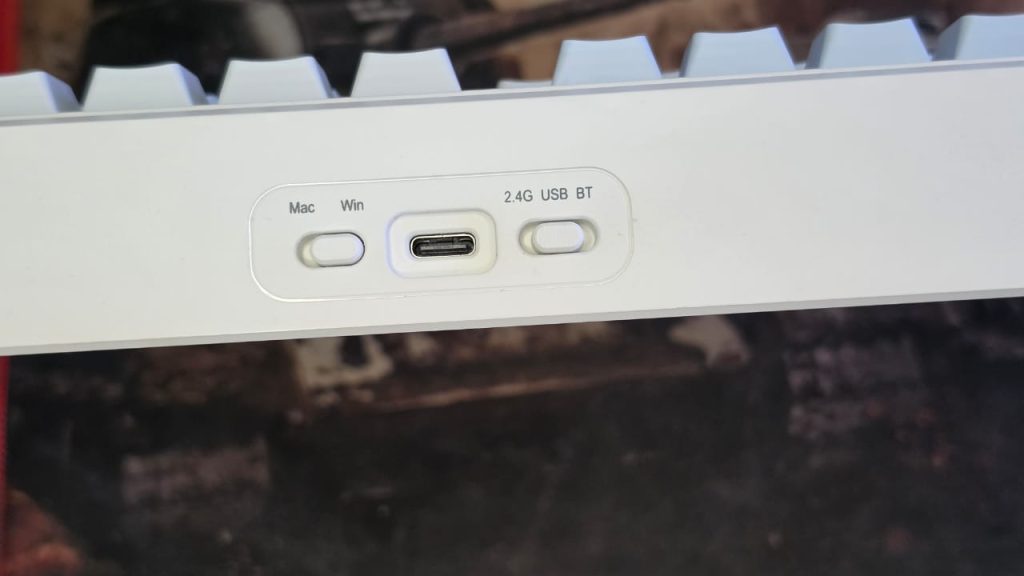
The TH108 V2 PRO is a tri-mode board: USB-C wired, 2.4GHz wireless (via an included receiver stored under the left kickstand), and Bluetooth. Performance scales sensibly across modes:
- Polling rate: 1000Hz (USB and 2.4GHz), 125Hz (Bluetooth)
- Latency: 2ms (USB), 5ms (2.4GHz), 11ms (Bluetooth)
Those numbers put it solidly in gaming-competitive territory when wired or on the 2.4GHz dongle, with Bluetooth reserved more sensibly for casual multi-device switching (FN+Q/W/E toggles between three paired devices). It supports N-key rollover with full anti-ghosting, and the board is cross-platform, with dedicated Mac modifier keycaps included for people bouncing between Windows and macOS.
Battery life is the headline spec: a 10,000mAh cell rated for up to 200 hours of continuous use. That’s a huge capacity for a keyboard, and it’s the kind of spec that shows up in real-world feedback too — reviewers consistently single out battery life as one of the board’s strongest points, describing it as excellent and genuinely long-lasting for a wireless board.
Software
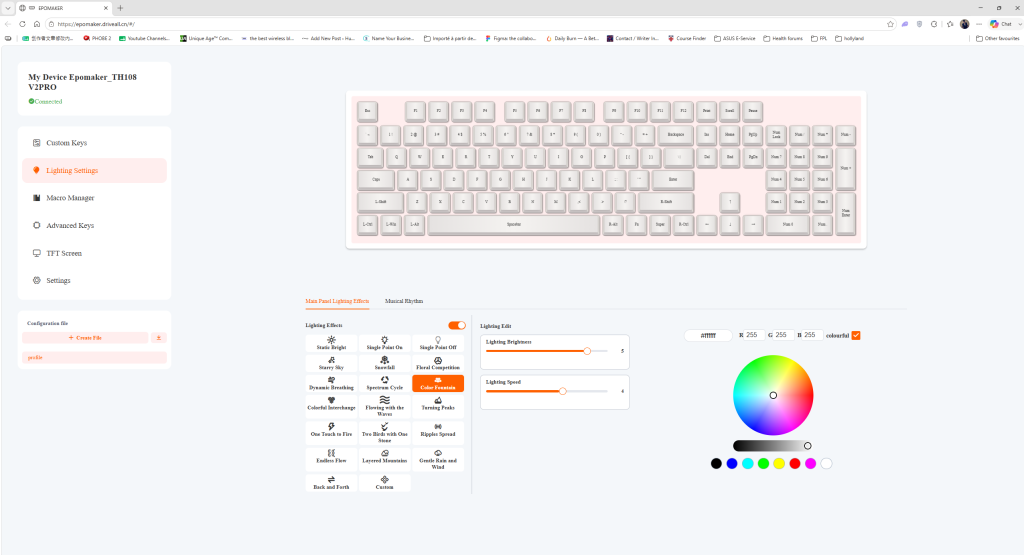
EPOMAKER ditched a downloadable driver in favor of a Chrome-based, web browser driver for macro recording, key remapping, and screen customization (GIF uploads, time sync, backlight settings). The appeal is obvious: no installer bloat, and it works across operating systems without separate builds.
In practice, this is the most consistently criticized part of the package. One detailed review described the documentation as essentially nonexistent — no physical manual in the box, incorrect online shortcut instructions, and no clear explanation of what certain indicator lights do. EPOMAKER’s response to that review clarified that a simplified quick-start guide is included, with the full manual accessible via a QR code on the box, and that the mystery LED ring is a decorative light adjustable via FN+|. That’s a helpful clarification, but it also confirms the out-of-box documentation experience needs work — customers shouldn’t need to dig through a review’s comment section to learn basic functions.
Technical Specifications
| Spec | Detail |
|---|---|
| Layout | 100% full-size, 104 keys |
| Case material | Thick ABS plastic |
| Plate material | PC plastic, flex-cut |
| Mounting | Gasket-mounted |
| Sound dampening | 5-layer (PORON, IXPE, PET, latex, silicone) |
| Keycaps | Double-shot PBT, Cherry profile |
| Switches | Creamy Jade (linear) or Sea Salt Silent V2 (silent linear), hot-swappable, 5-pin |
| Stabilizers | Plate-mounted, factory-tuned (not PCB/screw-in compatible) |
| Connectivity | USB-C wired, 2.4GHz wireless, Bluetooth |
| Polling rate | 1000Hz (USB/2.4GHz), 125Hz (Bluetooth) |
| Latency | 2ms / 5ms / 11ms |
| Battery | 10,000mAh, up to 200 hours |
| RGB | South-facing, per-key |
| Screen | Glass display with rotary knob |
| Kickstand | 2-stage, 6°/8°/10.5° |
| Dimensions | 447.4 x 140.7 x 44mm |
| Weight | 1.5kg |
| Price | $98.99 (Creamy Jade) / $99.99 (Sea Salt Silent) |
What’s in the Box
- EPOMAKER TH108 V2 PRO keyboard
- Detachable USB-A to USB-C cable and 2.4GHz wireless receiver
- 2 extra switches
- 2-in-1 switch and keycap puller
- Multilingual quick-start manual and product card
Pros and Cons
Pros
- Genuinely long battery life (10,000mAh / up to 200 hours) that real users confirm holds up
- Satisfying, quiet, factory-lubed switches with a well-built 5-layer dampening stack for a “thocky” sound
- Full 100% layout with dedicated numpad — no compromises for people who need it
- Hot-swappable sockets and PBT double-shot keycaps for future customization
- Fun, genuinely useful screen and knob combo for status info and personalization
- Tri-mode connectivity with competitive polling rate and latency for gaming
- Solid warranty coverage: 30-day returns and 30-day replacement for defects
Cons
- Web-based software is limited — some core functions (like remapping the volume knob) are locked
- Out-of-box documentation is thin; several basic functions aren’t clearly explained
- No included palm rest, and the board’s height can get uncomfortable during long sessions
- South-facing RGB can cause uneven backlight bleed with opaque aftermarket keycaps
- Stabilizers aren’t moddable to PCB or screw-in types, limiting deeper customization
- At 1.5kg, it’s not a board you’ll want to travel with often
Who Should Buy It
The TH108 V2 PRO makes the most sense for people who want a full-size board with genuine acoustic quality and don’t plan to live inside custom remapping software — WFH professionals, students, and gamers who value battery life and a satisfying typing feel over deep configurability. If your priority is heavy macro use, per-key remapping depth, or a plug-and-play manual experience, the software and documentation gaps are worth weighing against the otherwise strong hardware. For $98.99–$99.99, it’s a reasonable value proposition as long as you go in knowing you may need to consult EPOMAKER’s support or manual PDF directly rather than relying on in-box documentation.
Final Verdict
The EPOMAKER TH108 V2 PRO is a keyboard where the hardware clearly outpaces the software and documentation around it. The gasket-mounted acoustic design, factory-lubed switches, and enormous battery are legitimate strengths that hold up in real-world use, and the screen-and-knob combo adds a layer of personality that’s rare at this price. But the rough edges — a locked-down web driver, sparse in-box instructions, and RGB behavior that punishes keycap swaps — mean it rewards buyers who plan to use it close to stock rather than tinkerers hoping to fully customize it. As a full-size daily driver for typing, light gaming, and multi-device switching, it’s a strong, if imperfect, option in EPOMAKER’s lineup.
Pricing, specifications, and product images referenced from EPOMAKER’s official product page.